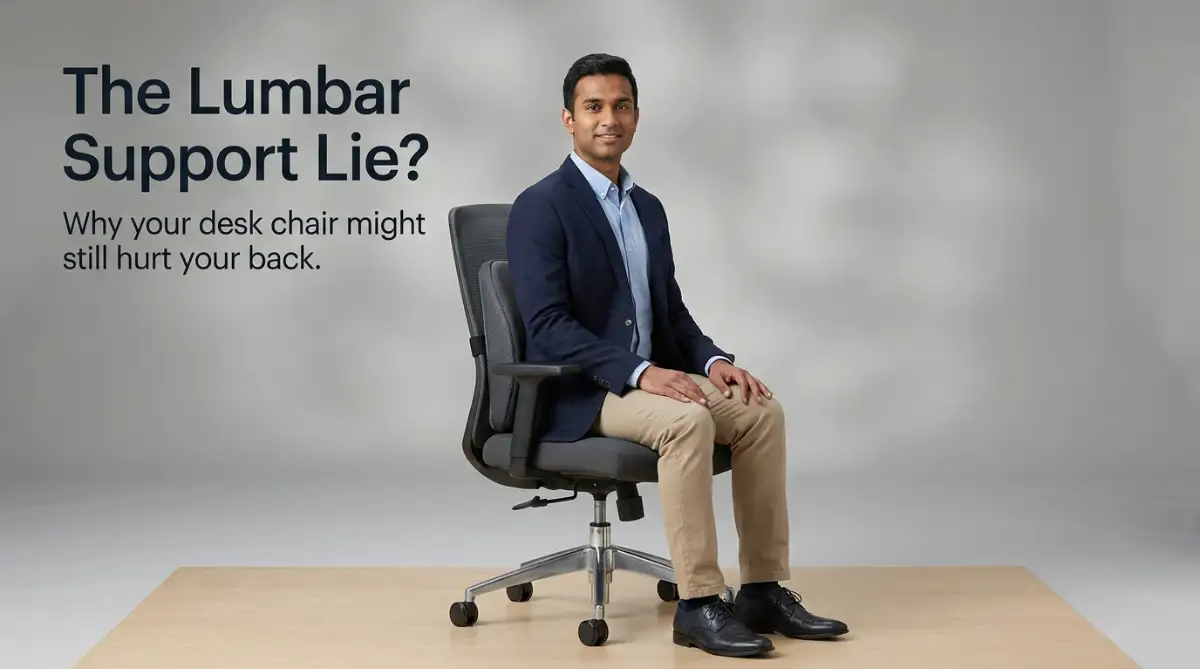
The Silent Desk Struggle: Why Your Spine Screams at 3 PM
Imagine sitting at your desk on a quiet Tuesday afternoon. You are trying to finish a report, but you cannot focus. There is a dull, burning ache creeping across your lower back. You shift to the left, then to the right, and then you slouch forward. Nothing seems to help the discomfort.
By the time the clock strikes 5 PM, you feel completely exhausted. This exhaustion does not come from your workload. It comes from the constant, quiet battle your muscles are fighting just to keep you upright.
Many office workers face this exact situation every single day. You might feel like you are the only one struggling, but millions share this pain. This physical stress slowly drains your mental energy. It makes you irritable with your family when you get home. It stops you from enjoying your favorite evening hobbies.
You might have bought an expensive chair hoping for a quick fix. Yet, the pain remains. The truth is that simply having a chair with back support is not enough. You have to understand how to make it work for your unique body shape.
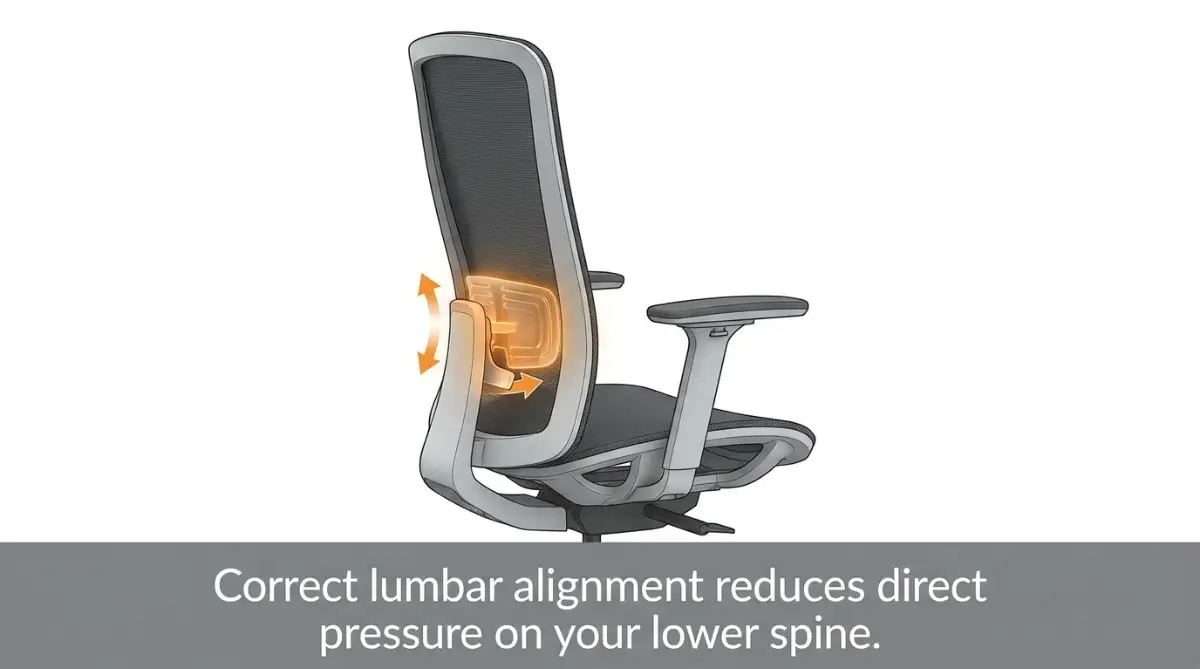
The Hidden Shape of Your Lower Back
To fix the pain, we must first look at how our bodies are built. Your spine is not a straight line. It has a natural, gentle S-shape curve that keeps you balanced.
The lower part of this curve is called the lumbar region. It curves inward toward your belly. When you stand up, this curve naturally stays in its proper place.
But when you sit down, everything changes. Your pelvis rolls backward. This movement flattens the natural curve of your lower back.
Without support, your spine bends outward like a C-shape. This bad position stretches the ligaments and puts massive pressure on your spinal discs.
Stand (Natural S-Curve) ➔ Sit without Support (Flat C-Shape) ➔ Sit with Support (Restored S-Curve)
Think of your spine like a flexible plastic tent pole. If you bend it the wrong way for eight hours, it will eventually crack or weaken. Your lower back behaves the exact same way under daily desk strain.
What Happens When Your Back Flattens Out
When you slouch, your lower back flattens out, forcing your muscles to work exhausting double-time shifts. They frantically pull against gravity to hold your heavy upper body upright. This endless, quiet struggle is what causes those painful muscle spasms and tight knots by mid-afternoon.
At the same time, the soft, fluid-filled discs between your spinal bones get squeezed unevenly. Think of these discs like tiny jelly doughnuts under a heavy weight. When you bend forward, you pinch one side of the doughnut, forcing the soft jelly to bulge outward on the other side.
Over time, this constant bulging pressure can push a disc directly against your sensitive spinal nerves. This pinch triggers a sharp, burning pain that shoots all the way down your hip and leg. It is a clear warning sign from your body that your spine is under too much daily pressure.
Using proper chair lumbar support acts like a gentle hand holding your spine in its natural, healthy S-curve. This simple shift safely transfers your body weight off tired muscles and back onto your strong skeletal bones. You will feel an immediate sense of relief as that heavy, nagging pressure finally lifts.
Letting Tired Muscles Finally Rest
Proper back support acts like a gentle hand holding your spine in place. When your chair supports your lower back, your muscles can finally relax. They no longer have to fight gravity all day long.
This relaxation keeps your body fresh. You will notice that you have more energy at the end of the day.
Proper support also helps you breathe better. When you slouch, you compress your lungs and diaphragm. Sitting upright allows you to take deeper breaths, which sends more oxygen to your brain.
Myth vs. Reality: Desk Chair Truths
How to Adjust Your Support for Maximum Relief
Adjusting your chair does not have to be difficult. Follow these simple steps to set up your workspace today.
The first step is finding the sweet spot on your back. Stand up and place your hands on your hip bones. Slide your hands around to your spine.
This area, just above your hips, is where the lumbar support needs to sit. Sit back in your chair and adjust the lumbar pad.
It should fit snugly into the curve of your lower back. If it feels like it is pushing your mid-back forward, it is too high. If it feels like it is pushing your buttocks forward, it is too low.
Some high-quality chairs let you adjust how far the support pushes forward. You want a gentle, firm pressure.
It should feel like a supportive hand pressing against your back. It should not feel like a hard log pushing you out of the seat.
If your chair does not have this adjustment, you can use a rolled-up towel. A small towel allows you to test different thicknesses easily.
Your feet play a major role in your lower back health. If your feet dangle, they pull your pelvis forward. This pull flattens your lower back curve.
Adjust your chair height so both feet rest flat on the floor. Your knees should be at a ninety-degree angle.
If your desk is too high, use a footrest. A simple box or a stack of books can work perfectly as a temporary footrest.
Make sure your hips are slightly higher than your knees. This position makes it much easier to keep your pelvis tilted correctly.
If your knees are higher than your hips, your lower back will naturally round out. You can place a thin, firm wedge cushion on your seat to help tilt your pelvis forward.
Expert Insight:
"Think of lumbar support as a guide, not a crutch. Its main job is to remind your body where its natural balance point is. It should never feel like it is forcing your body into an uncomfortable shape."
Choosing the Right Support Type for You
Not all office chairs are built the same way. Here is a look at the three most common types of back support.
This is the best option for most people. These chairs have a dial or lever that lets you move the support up, down, in, and out.
These adjustments help you customize the chair to your unique body shape. They are highly durable and stay in place all day.
Many basic office chairs have a plastic curve built into the backrest. These cannot be adjusted.
If you are very tall or very short, these chairs might not fit you well. The curve might hit your back in the wrong spot, which can actually increase your pain.
If you cannot buy a new chair, a portable memory foam cushion is a great option. You can strap it onto almost any standard chair.
These cushions are highly budget-friendly and easy to move. You can use them in your office, in your car, or even on a kitchen chair.
Small Habits That Boost Your Back Health
Even the best chair in the world cannot save your back if you sit still for hours. Your body is designed to move.
Try to change your position every twenty minutes. You do not need to take a long break.
Just stand up for thirty seconds, stretch your arms, and sit back down. This quick movement restores blood flow to your tired muscles.
It also redistributes the fluid inside your spinal discs. Think of it like squeezing a sponge to keep it fresh and wet.
You can also do small movements while sitting. Rock your pelvis forward and backward gently.
Squeeze your shoulder blades together for a few seconds. These tiny shifts keep your muscles active and prevent stiffness.
Your spinal discs are mostly made of water. When you get dehydrated, these discs shrink slightly.
Shrunk discs offer less cushion, which leads to more back pain. Keep a water bottle on your desk as a visual reminder to drink throughout the day.
Your neck position directly affects your lower back. If you look down at a laptop screen, your head pulls your spine forward.
This forward pull creates a domino effect that flattens your lower back. Raise your screen to eye level using a laptop stand or a few thick books. This simple change helps keep your entire spine aligned naturally.
Beyond the Basics: Pro-Level Secrets for Spine Alignment
Setting up your chair is just the starting point for true comfort. To really protect your spine, you need to understand how to sit actively and dynamically. Let us explore some advanced strategies that physical therapists use to help people maintain a healthy back.
The first secret lies in finding the perfect recline angle. Sitting at a strict ninety-degree angle actually increases the direct pressure on your lower spinal discs. Leaning back slightly to about one hundred or one hundred and ten degrees helps transfer your upper body weight to the chair's backrest.
When you lean back to this angle, your lumbar support must still touch your spine gently. This position allows your muscles to relax without letting your posture slump. It is the easiest way to reduce muscle fatigue during long work sessions.
Unlocking the Power of the Tension Control Dial
Most people never touch the heavy spring knob located under their office chair. This knob adjusts the amount of resistance you feel when you lean back in your seat. If the tension is too loose, you will feel like you are falling backward constantly.
If the tension is too tight, your back muscles will fight the chair just to lean back. You want to adjust it so you can glide back smoothly with just a small shift in your body weight. This active movement keeps blood flowing through your spine all day.
The Micro-Movement Secret for All-Day Comfort
Sitting completely still is a silent enemy of your joint health. Even in a perfect ergonomic chair, your joints will stiffen up after an hour of static sitting. Active sitting means making tiny adjustments to your posture every few minutes.
Try tilting your pelvis slightly forward for ten minutes, then letting the chair support you again. These tiny changes keep your core muscles awake and active. This practice is just as important as relieving screen eye strain naturally when you spend hours at a desk.
Using External Support Cushions Effectively
If your current office chair does not have a good built-in curve, do not panic. You can easily use a high-quality external memory foam cushion to fill the gap. Make sure the cushion has an adjustable strap so it does not slide down your chair.
A sliding cushion will quickly push your hips and spine out of alignment. If you are traveling, a simple rolled-up jacket can act as a great temporary support. This simple trick can save you from severe aches on long flights or car rides.
The Towel Trick for Testing Your Curve
Are you unsure about how much lower back support you actually need? Roll up a medium hand towel and secure it with two rubber bands. Place this behind your lower back while sitting at your desk.
This temporary tool lets you adjust the thickness easily by rolling it tighter or looser. Once you find the perfect size, you can buy a permanent cushion with those exact dimensions. It is a simple and cheap way to test your needs before spending money.
Why Your Pelvis Holds the Key to Relief
Your pelvis acts as the main foundation for your entire spine. If your hips tilt backward, your lower spine will naturally bend like a bow. Keeping your pelvis upright is the first step to successful lumbar support.
A clinical study on office chair design features showed that proper lumbar support directly helps in maintaining a neutral pelvic posture. This neutral posture significantly reduces the daily load on your muscles. It keeps your entire body balanced from the base up.
The Hidden Link Between Your Desk Height and Back Stress
Many people do not realize that their desk height directly affects their lower back comfort. If your desk is too high, you will naturally reach forward to type. This reaching pulls your shoulders away from the backrest and pulls your spine out of the lumbar support curve.
Keep your keyboard close enough so your elbows stay at a ninety-degree angle by your side. This layout keeps you tucked safely against your chair’s backrest. It ensures your lumbar support can do its job without you fighting it.
The Costly Mistakes That Keep You in Pain
Sometimes, our best efforts to fix back pain actually make it worse. We buy expensive ergonomic tools but use them incorrectly. These simple errors can quietly turn a minor ache into a long-term medical problem.
The Trap of the "Super-Sized" Support Pad
Many people think that bigger is always better when it comes to back cushions. They buy massive, thick pillows that force their whole body forward. This mistake actually leaves the upper back completely unsupported.
When your upper back cannot touch the chair, your neck must bend forward to look at your screen. This creates a painful strain on your shoulders and neck muscles. Your support should feel like a small, firm nudge, not an oversized pillow pushing you away.
Slouching Forward While Having Support Behind You
Having a great ergonomic chair is useless if you do not actually sit back in it. Many office workers perch on the very edge of their seats. They lean forward toward their screens, leaving a huge gap between their spine and the chair.
This posture puts maximum pressure on your lower spine. Your expensive chair cannot help you if you do not let it hold your weight. Always slide your hips all the way to the back of the seat before you start working.
Setting the Support Too High on Your Spine
Another very common mistake is placing the lumbar cushion near the middle of your back. This area does not have an inward curve. Pushing this part forward bends your spine in an unnatural direction.
Over time, this poor position can flatten your chest area and make breathing harder. It also forces your head forward, which doubles the weight your neck has to carry. Always keep the support low, just above your belt.
Believing a Perfect Chair Solves Everything
A great chair is an important tool, but it is not a magic shield. If you sit in the best chair for ten hours without moving, your back will still hurt. Your joints need movement to stay healthy and lubricated.
Relying solely on the chair can make you lazy about your posture. You still need to build strong core muscles to support your body naturally. Think of your chair as a helpful partner, not a complete replacement for movement.
Why Ignoring Early Warnings Can Lead to Long-Term Damage
Ignoring a mild back ache is easy when you are busy. But a mild ache is your nervous system's way of warning you. If you ignore it, you risk developing chronic issues like sciatica or degenerated discs.
According to a systematic review on lumbar support efficacy, using proper support early is a highly effective way to prevent severe, long-term pain. Taking action today can save you from years of medical appointments and expensive treatments.
Severe back issues can even ruin your travel plans and family vacations. If you already suffer from a bad back, you might have to look into securing travel insurance with pre-existing medical conditions before taking any long trips. Protecting your spine at your desk today helps keep your life free from these frustrating limitations.
The Mistake of Keeping Your Knees Too Low
Some people lower their chairs too much to make their desks feel comfortable. This position forces your knees lower than your hips, which tilts your pelvis forward too much. This tilt arches your lower back in an extreme, tense way.
You want your thighs to be parallel to the floor for balanced weight distribution. If your desk height forces you to sit too high, invest in a simple, cheap footrest to protect your legs and lower back. This simple change keeps your body in perfect balance.
Your Action Plan for a Pain-Free Workday
Your journey to a pain-free back starts with small, daily steps. You do not need to buy a brand-new, expensive desk setup today. Instead, focus on adjusting the tools you already have in front of you.
Your Five-Step Morning Setup Checklist
Spend just two minutes every morning preparing your workspace. First, slide your hips all the way to the back of your chair. Next, adjust the lumbar support so it fits perfectly into your lower back curve.
Third, check that your feet rest completely flat on the floor or a footrest. Fourth, keep your keyboard close enough so your shoulders can relax. Finally, raise your screen so your eyes look straight ahead without tilting your head down.
Reclaiming Your Energy and Freedom
Imagine leaving your desk at five o'clock with plenty of energy left for your family. You will no longer feel that heavy, throbbing exhaustion weighing you down. Proper spine care gives you back your freedom to enjoy life outside of work.
Your body is highly resilient and wants to heal. By giving it the support it needs, you allow your muscles and joints to recover naturally. Do not wait for the pain to get worse before making these simple changes.
Take control of your posture and your health starting right now. Your spine will thank you for years to come. Your future self is waiting for a healthier, pain-free life.
Disclaimer
The information provided in this article is for educational and informational purposes only and is not intended as medical advice. Always consult with a qualified healthcare professional or physical therapist before starting any new exercise routine or making major changes to your ergonomic setup, especially if you suffer from chronic back pain or a pre-existing medical condition.