
The Stress-Free Guide to Small Business Bookkeeping
Let’s be honest: you didn't start your business to become a full-time, unpaid bookkeeper. Yet here you are, wasting your Sunday nights staring at messy spreadsheets and lost receipts. Managing your business cash flow does not have to feel like a second job. I am going to show you how to automate your bookkeeping in under 15 minutes a week, save hours of manual work, and finally get your weekends back.
This daily struggle is incredibly common for small business owners in the US and Europe. Many entrepreneurs spend up to ten hours a week just entering numbers, matching bank lines, and chasing missing documents.

Manual Receipt Pile ➔ Hours of Spreadsheets ➔ Late Night Stress ➔ Burnout & Audit Fear
Why is finding a simple fix so hard? Let us look at the real reasons why small business owners get stuck in this loop:
- Overcomplicated Software: Most traditional financial tools are built for trained CPAs, not for regular business owners.
- The Cost Barrier: Hiring a professional bookkeeper can cost hundreds of dollars every single month.
- Information Overload: The internet is full of bad advice telling you to buy expensive tools that you do not actually need.
- Feature Bloat: Many software options offer thousands of features that just make the screen look messy and confusing.
This constant financial worry does more than just waste your precious time. It slowly eats away at your mental peace and makes you doubt your own business decisions.
- You feel stressed and overwhelmed every time tax season approaches.
- You worry that a single typing mistake in your spreadsheet might lead to an expensive tax audit.
- Your creative energy gets drained because your mind is always busy worrying about cash flow.
- You hesitate to make big business moves because you do not have a clear, real-time view of your money.
Let us be completely honest here. You do not need a degree in finance to run a successful business, but you do need a system that works for you, not against you.
Fast Action Takeaways: What You Will Learn
If you only have two minutes, here is your quick roadmap to saving ten hours a week on bookkeeping:
- Connect Secure Feeds: Instantly link your business bank cards to automatically pull transaction data and eliminate manual typing errors.
- Stop the Mixing: Keep business and personal finances completely separate. It is the easiest way to prevent expensive audit mistakes.
- Create a 15-Minute Habit: Reconcile your transactions once a week instead of waiting for a stressful tax season at the end of the year.
Your Simple Guide to Smart Automated Bookkeeping
Automating your business finances is not about letting robot systems take over your bank accounts. It is about setting up a smart assistant that does the boring work for you so you can focus on growth.
Let us walk through the first three practical steps to move from manual chaos to smooth, automated clarity.
Step 1: Connect Your Feeds for Instant Financial Tracking
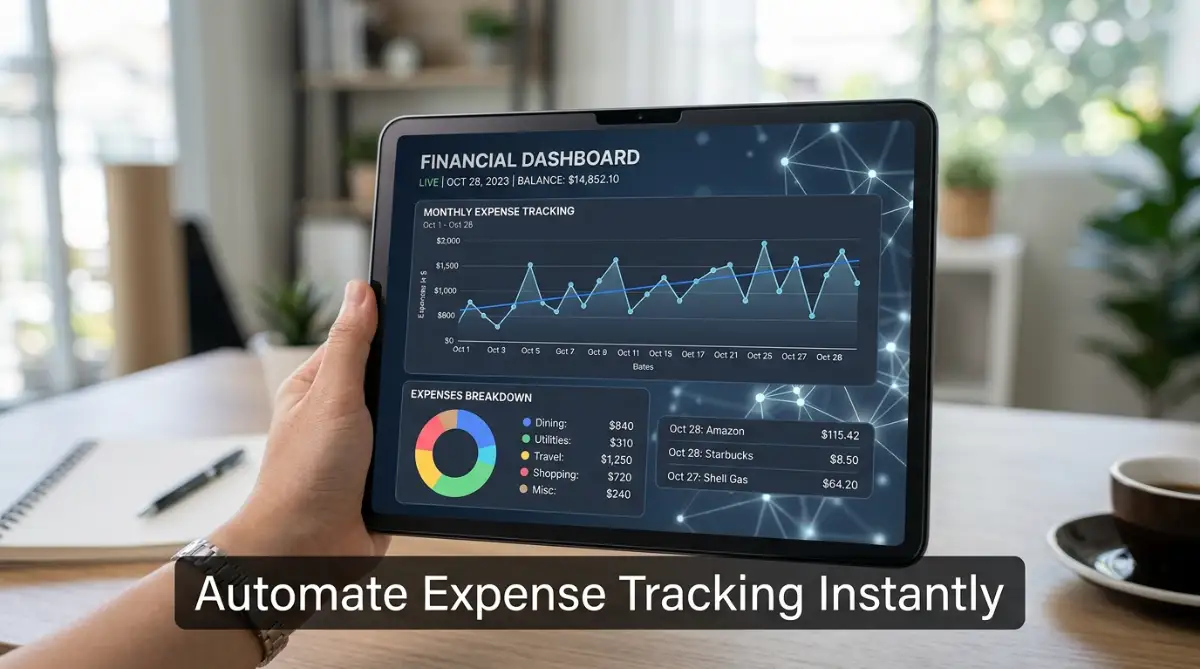
The very first step is to stop entering your transactions by hand. Modern smart tools let you link your business credit cards and bank accounts directly to the system.Every time you buy a coffee for a client or pay for web hosting, the transaction appears in your system instantly.
Imagine Sarah, who runs a small graphic design studio in Chicago. She used to spend every Sunday evening typing out her bank statements into an Excel sheet.
Once she linked her business bank account to a smart tracking tool, Sunday nights became hers again. The software automatically pulled every charge, saving her at least four hours of manual work every week.
Business Bank Account (Secure API Connection) ➔ AI Bookkeeping Tool (Instant Auto-Import)
To do this right, look for a tool that uses secure bank-grade connections. You want a system that updates your dashboard at least once a day so you always know where your cash stands.
This simple setup drastically reduces typing errors and saves you time. If your bank shows a charge of $14.99, your software will show exactly $14.99, leaving no room for manual mistakes.
Step 2: Set Up Smart Expense Sorting That Learns from You
Once your transactions are flowing in, you need to sort them so you can claim your tax deductions. This is where smart machine learning really shines.
Instead of you choosing a category for every single item, the software looks at the merchant name and makes an accurate guess.
- The software sees a charge from "Mailchimp" and automatically labels it as Software & Marketing.
- A charge from "Shell Oil" is instantly sorted under Travel & Auto Expenses.
- Your monthly office rent payment is placed directly into the Rent & Utilities category.
In the beginning, you might need to correct the software a few times if it makes a wrong guess.
Among other things, if you buy office paper from a grocery store, the tool might think you bought food. You simply change the category to Office Supplies once.
The smart algorithm remembers your choice. The next time you buy something from that store, it will sort it correctly without asking you.
This continuous learning cycle means your books actually get cleaner and more organized over time. By tax season, your expenses are already divided into perfect categories, ready for your tax return.
Step 3: Send Professional Invoices and Get Paid on Time
Cash flow is the absolute lifeblood of any small business. Yet, many owners struggle because they forget to send invoices or do not feel like chasing late payments.
Using smart billing tools changes the entire game. You can create a beautiful, clean invoice in under a minute, directly from your phone or laptop.
Create Invoice ➔ Set Auto-Reminders ➔ Client Pays via Link ➔ Auto-Matched in Books
Let us look at John, who owns a local plumbing service. He used to write invoices on paper and mail them to his customers.
He often waited 30 to 45 days to get paid because clients forgot about the paper letters on their kitchen counters.
John switched to a system that emails a digital invoice with a direct "Pay Now" card option.
Now, his clients receive the invoice on their phones immediately after the job is done and can pay with a single click.

Even better, the system has automatic reminder emails built right in. If a client does not pay within seven days, the software sends a polite follow-up note automatically.
John did not have to make any awkward phone calls to ask for his money. The system handled the reminders, helping him get paid much faster than using traditional paper invoices.
Once the payment arrives, the software automatically matches it to the open invoice. Your balance sheet updates itself, showing that the bill is fully paid without you doing a thing.
Selecting the Right Financial Assistant for Your Business
Now that you understand the basic steps, you might wonder how to choose the right software from the dozens of options available.
The secret is to ignore the flashy marketing and focus purely on your specific business requirements.
Avoid Overpaying for Enterprise Features
Many software companies will try to sell you expensive monthly packages filled with tools you will never use.
If you are a solo freelancer or a two-person team, you do not need complex inventory tracking or international multi-currency tools.
Start with a basic, affordable plan. Most software providers make it very easy to upgrade later as your business expands.
Bookkeeping Software: Myth vs. Reality
Check for Mobile Usability
As a busy entrepreneur, you are not always sitting at your desk. You might need to check your cash flow while waiting for a meeting or scan a receipt while grabbing lunch.
Make sure the tool you choose has a highly rated mobile app that runs smoothly on your phone.
The app should allow you to take a photo of a physical receipt and upload it to the cloud instantly.
This simple habit stops paper receipts from cluttering your wallet and losing them before tax season.
Prioritize Customer Support
When you are dealing with your business money, you cannot afford to wait days for an email reply if something goes wrong.
Look for software that offers reliable, live customer support.
Read online reviews to see how fast their team responds to user questions.
A great support team can save you hours of panic if a bank feed disconnects or an invoice shows an incorrect balance.
Best Practices to Keep Your Automated System Running Smoothly
Even the smartest software needs a little bit of human guidance to work perfectly.
By spending just fifteen minutes a week on your books, you can keep your system completely accurate and stress-free.
Set a Weekly Reconciliation Date
Do not leave all your bookkeeping for the end of the month. Pick one day a week, like Friday morning, to log into your dashboard.
Spend ten minutes reviewing the automatically sorted transactions.
Confirm the categories and match any outstanding invoices.
This short habit keeps your financial data fresh in your mind and prevents work from piling up.
Keep Your Personal and Business Money Completely Separate
This is the golden rule of small business finance. Never use your business card to buy personal groceries, and do not pay for business software with your personal account.
Mixing your funds makes automated sorting incredibly difficult.
It forces you to spend hours manually dividing your personal spending from your business deductions.
Open a dedicated business checking account and use it exclusively for business transactions. This keeps your automated feeds perfectly clean and audit-ready.
Your Quick Business Setup Checklist
Before you link your banking tools to any automated software, make sure you have these three foundations ready to avoid massive cleanup work later:
- Dedicated Business Card: Keep a separate card for business use only. If you buy a personal coffee on your business card, you pollute your clean automated data feeds.
- A Shared Receipts Email: Create a custom folder in your inbox (like receipts@yourbusiness.com). Whenever you get a digital bill, forward it there immediately.
- Weekly 15-Minute Calendar Block: Set a recurring alarm for Friday morning to quickly approve transactions. Do not leave it for the end of the month when you've forgotten what you bought.
Store Digital Backups of All Receipts
While smart software stores your data in the cloud, it is always wise to keep your own secure digital archive.
Create a simple folder structure on your computer or cloud drive sorted by year and month.
Whenever you receive an important digital receipt, save a copy to your folder.
This double backup gives you absolute peace of mind, knowing you are protected no matter what happens to your software account.
By combining the power of modern software with these simple business habits, you will save hundreds of hours every year.
You will finally have the clear financial insight you need to scale your business with confidence.
Mastering Advanced Automation to Grow Your Business
Now that you have connected your accounts and sorted your everyday expenses, it is time to look at the advanced ways technology can work for you. Managing your money goes way beyond just tracking where your dollars go.
If you want to protect your growing company, you must understand the basic financial rules and structures. A great starting point to learn about tax rules and business registration is the official U.S. Small Business Administration website.
Once your business foundations are solid, you can start studying how your money moves on a daily basis. To make smart choices, you should understand how to read a cash flow definition and guide so you can prepare for slow sales periods.
To take your financial systems to a professional level, you will want to focus on three key areas of automated cash management:
- Smart Tax Planning: This provides real-time tax estimations based on your daily revenue.
- Cash Flow Forecasting: This uses machine learning to predict your future bank balance.
- Pro Asset Protection: This involves setting up the right insurance and risk management protocols.
Let us look at two advanced steps that will take your financial systems to a professional level.
Step 4: Real-Time Tax Planning and Smart Write-Off Matching
Most business owners only think about taxes in the spring, which is a major mistake. By the time tax season arrives, it is too late to make strategic financial changes.
Smart financial systems solve this by calculating your estimated taxes every single time you log a transaction.
Think of this like a live weather forecast for your business bank account.
Instead of getting hit by a surprise storm at the end of the year, you can see the dark clouds coming from months away.
For instance, if your current business profit is thirty thousand dollars, the system might estimate your tax at forty-five hundred dollars.
If you decide to buy a necessary office computer for two thousand dollars, the tool instantly updates to show your new estimated tax is forty-two hundred dollars.
The system also helps you find deduction write-offs that you might have missed.
If you drive your car to meet a client, the app can track your miles using GPS and log it as a travel deduction.
These tiny savings might seem small at first, but they quickly add up to thousands of saved dollars.
Step 5: Advanced Cash Flow Forecasting for Future Planning
Predicting the future is hard, but modern machine learning algorithms make it much easier.
The software looks at your past three years of transaction data to predict your future bank balance.
It analyzes when your customers usually pay and when your major bills are due.
If you have a client who always pays two weeks late, the software notes this behavior.
It will adjust your cash flow prediction to show that you will not have those funds on the exact invoice due date.
This feature is incredibly helpful if you are planning to hire a new employee or rent a bigger office space.
You can run simple virtual tests to see how a new monthly expense will affect your cash balance over the next six months.
This keeps you safe from cash shortages, which is the number one reason why new businesses fail.
Protecting Your Business Assets Against Unforeseen Risks
To maintain your success over many years, you must also think about risk management and insurance.
Many entrepreneurs focus so much on software that they forget to protect their physical assets.
For example, if you run a service business where you travel constantly to meet clients, you must prepare for journey disruptions.
Before booking long business trips, make sure you look into a basic business travel policy to protect your cash flow from unexpected delays.
Similarly, if you use a delivery van or a company car to run your daily operations, an accident can stop your business instantly.
Having the right commercial vehicle insurance protects your business from sudden expenses if you ever get into a road accident.

Costly Bookkeeping Mistakes You Need to Avoid
Even the best automated tools can cause major issues if they are used incorrectly.
Let us examine the five most common errors that small business owners make and how you can avoid them.
This process usually starts with a set-and-forget mindset, which leads to unchecked categories, and finally results in bad tax filings.
1. The Set-and-Forget Mindset
The biggest mistake is assuming that software can run itself completely without any human review.
The computer is incredibly smart, but it cannot know the context of every single purchase you make.
If you do not check your dashboard once a week, minor categorization errors will quickly pile up into a massive mess.
2. Merging Personal and Business Finances
We mentioned this briefly before, but it is worth saying again because it causes so much damage.
When you use your business account to pay for personal items, you confuse the automated sorting engine.
It makes your tax reports highly inaccurate, which could get you in trouble during an official audit.
3. Forgetting to Match Receipt Photos to Digital Transactions
Simply scanning a receipt is not enough; you must link it to the actual bank transaction.
If you do not match the image to the bank line, you might struggle to prove the purchase to tax authorities.
Most modern tools let you attach the receipt image directly to the bank feed line with one tap.
4. Disconnecting Your Human Accountant Completely
Many business owners think that having smart software means they never need to talk to a human CPA again.
This is a very dangerous assumption because software cannot give you personalized strategic advice.
You should use your automated system to keep your books clean, then share that clean data with a CPA for yearly planning.
5. Ignoring Software Notification Alerts and Updates
Your accounting tool will occasionally send you alerts about disconnected bank feeds or unmatched transactions.
If you ignore these warnings for months, you will lose valuable transaction data.
Make it a habit to resolve any system alerts as soon as you see them on your screen.
Taking Control of Your Financial Future Today
Automating your business accounting is one of the most rewarding steps you can take as an entrepreneur.
It takes away the constant stress of manual paperwork and gives you back your valuable free time.
By connecting your bank feeds, setting up smart categories, and avoiding simple mistakes, you can build a highly efficient money management system.
You do not need to be a math genius or a tech expert to make this work.
You just need to take that very first step of choosing a simple software and linking your primary business card.
Once the system starts running, you will feel a massive weight lift off your shoulders.
You will finally have the clear, organized financial records you need to grow your business with complete confidence.
Start your automation journey today, and give yourself the gift of a stress-free business life.
Disclaimer: The information provided in this article is for educational and informational purposes only. It does not constitute professional financial, tax, or legal advice. Please consult with a certified public accountant (CPA) or a qualified financial advisor before making any major financial decisions or changing your accounting systems.